
Nova is the voice assistant that runs your computer with you. She hears you in English or Arabic, sends her own team of agents to do the work, and asks only before anything serious.
7 days free · no card
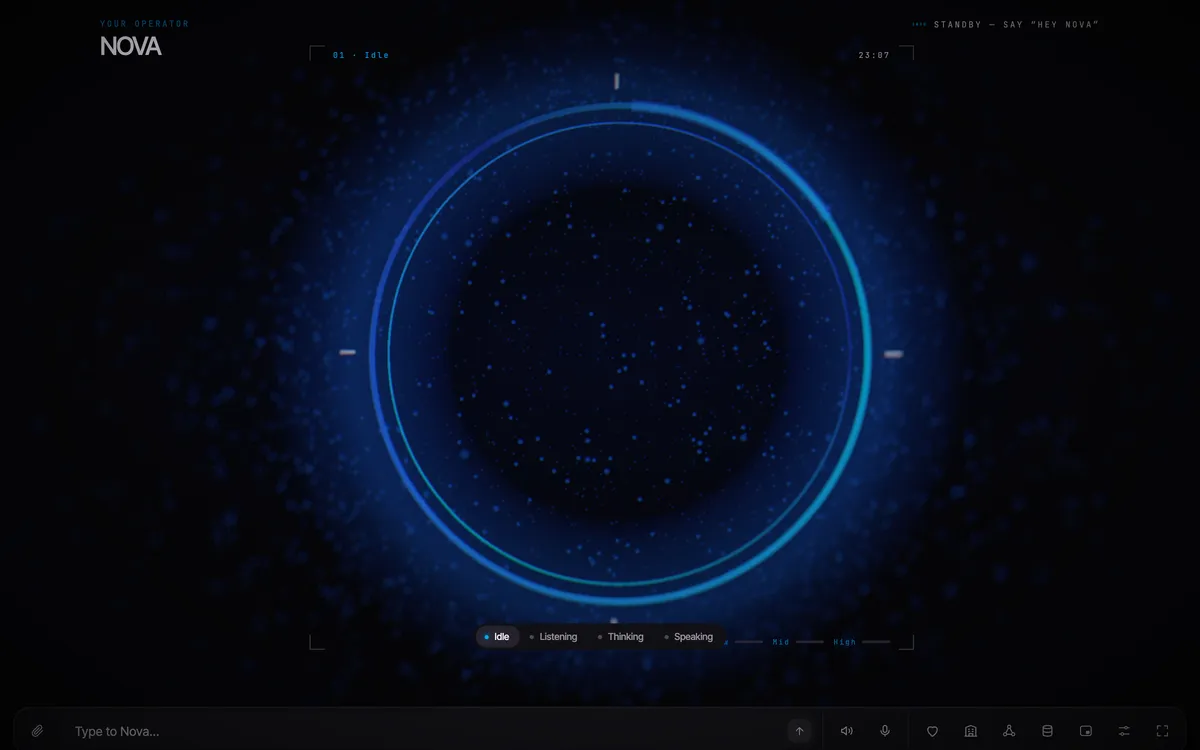
Nova works where you work: in your apps and files, on the web, in her own inbox and across your company. Each of these is something she does today.
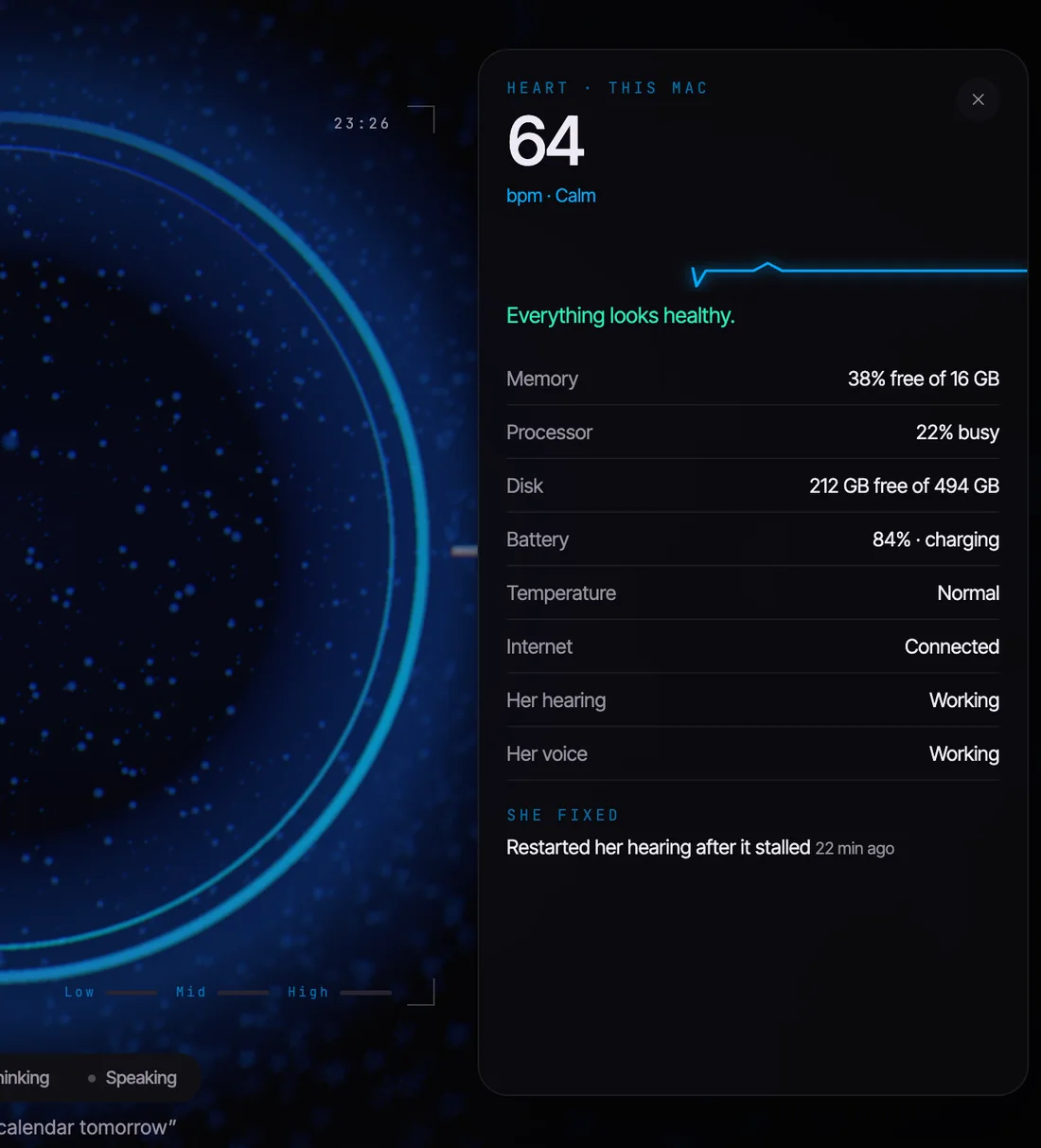
Memory, processor, disk, battery, temperature, internet, her own hearing and voice. A serious problem becomes one quiet sentence from her, and she mends her own parts when they fail.
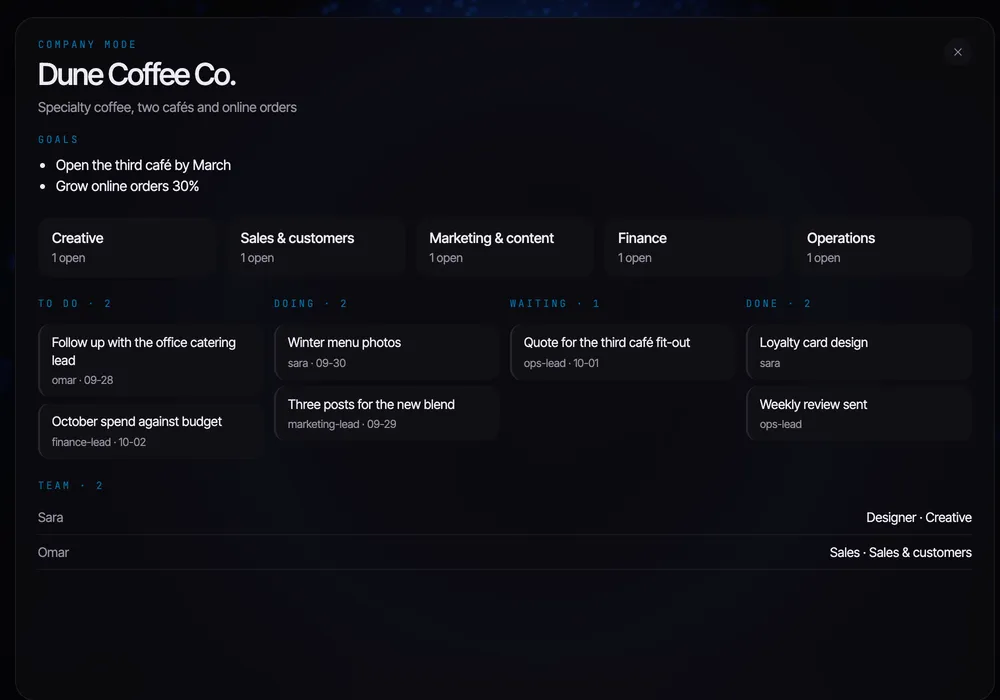
Tell her the goal. She staffs the departments, keeps the task board, logs decisions, runs the stand-up every morning and the review every week, and sends the work to the team by email.
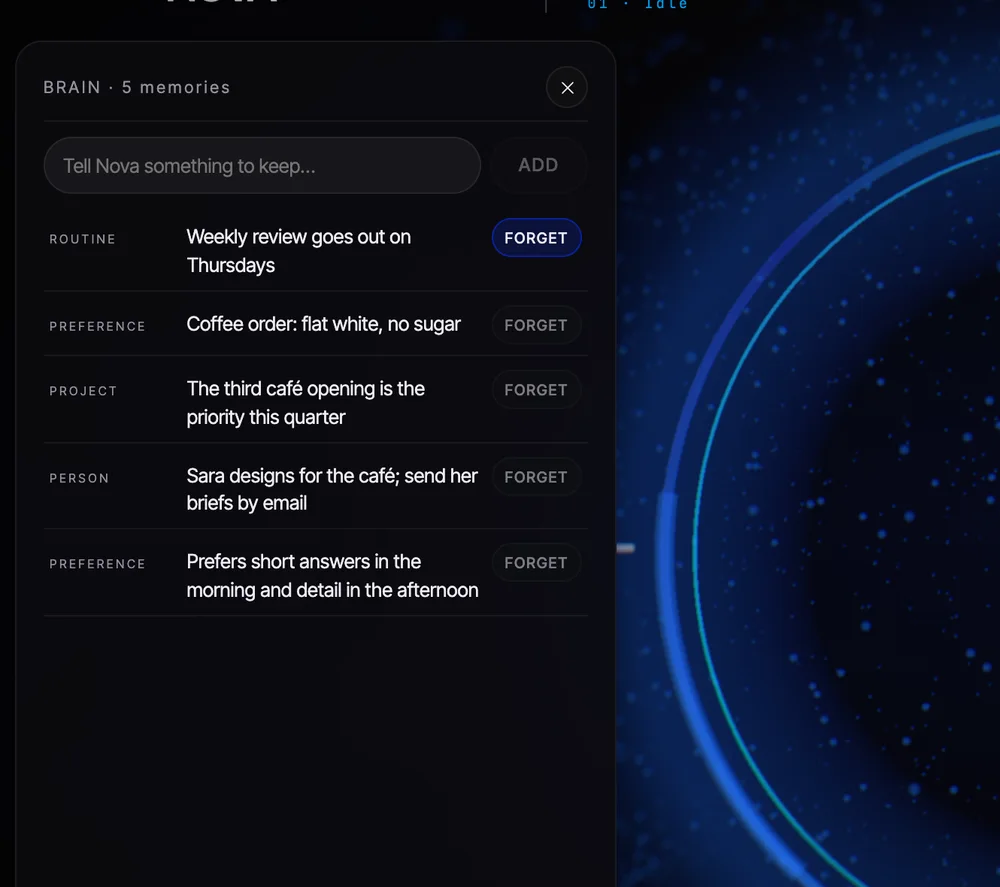
Preferences, people, projects, the way you like a deck built. Each memory is a line you can read, edit or tell her to forget. It never leaves your Mac.
She looks at you when you speak, thinks visibly, and answers in a line or two. Her expressions follow the conversation. You can turn her off with one key when you want quiet.
No setup wizard with forty screens. She asks for what she needs, in her own words.
One installer. She lands in Applications and opens with her face, her voice and a hello.
Your name, your language, how you want to wake her. Sign in with a code she emails you. The 7 free days start there.
“Make me a ten-slide deck on the Q3 numbers.” She sends the agents, does the work, and tells you where it is.
“Asks before paying, deleting, installing or sending from your accounts. Everything else she just does.”
Every plan begins with 7 free days and no card. Your account works on up to three Macs.
For one person and their Mac.
For founders and teams that want a company run.
Each plan has a monthly usage allowance. Compare the plans
Short answers here. The help center has the long ones.
Help centerA Mac today, with Apple silicon recommended: her own voices need it, and Intel Macs use the Mac's built-in voice instead. Windows and a phone app are next; join the list on the download page and we'll tell you the day each opens.
Her hearing, her voice, her memory and your conversation. Thinking goes through Nova Cloud to Claude, one request at a time, and nothing is kept there beyond what a request needs.
Reading, researching, making files, organising, taking notes, working in her own accounts. She asks before paying or buying, deleting for good, installing software, quitting your apps, changing the company team, and sending or posting from your own accounts.
Yes. She hears «يا نوفا», understands Gulf and standard Arabic, answers in Arabic with her own Arabic voice, and can switch mid-conversation when you do.
She tells you, once. If you pick a plan she carries on; if not, she stops thinking and keeps your files and memory exactly where they are.
Yes, up to three on the same account, each with its own key.

The Mac installer opens soon. Leave your email and Nova Cloud will send one message on the day, nothing else.
Windows and phone are on the same list, on the download page.