
Here is what Nova does today, layer by layer, with what she asks before and what she never touches.
One wake word in each language, or no word at all. Choose in Settings whether a tap, a clap, two claps or a whistle wakes her. She stops the moment you speak over her, and she listens when you press Space.
Wake word · tap · clap · double clap · whistle · Space · Esc · typing
Wake her with
Then just say it
“Hey Nova, tidy my desktop.”
«يا نوفا، رتّبي سطح المكتب.»
Ask for a deck, a document, a spreadsheet, a design, a piece of research or a tidy Downloads folder, and she sends the right agent. What comes back is a file in her workspace and one line from her about where it is.
Her agents
Every 15 seconds she checks memory, processor, disk, battery, temperature, internet and apps that keep crashing. A serious problem becomes one quiet sentence, and she offers to fix it. When her own hearing or voice fails, she mends it herself.
Your device, read by this page
The same kind of reading she takes, from what a browser can see.
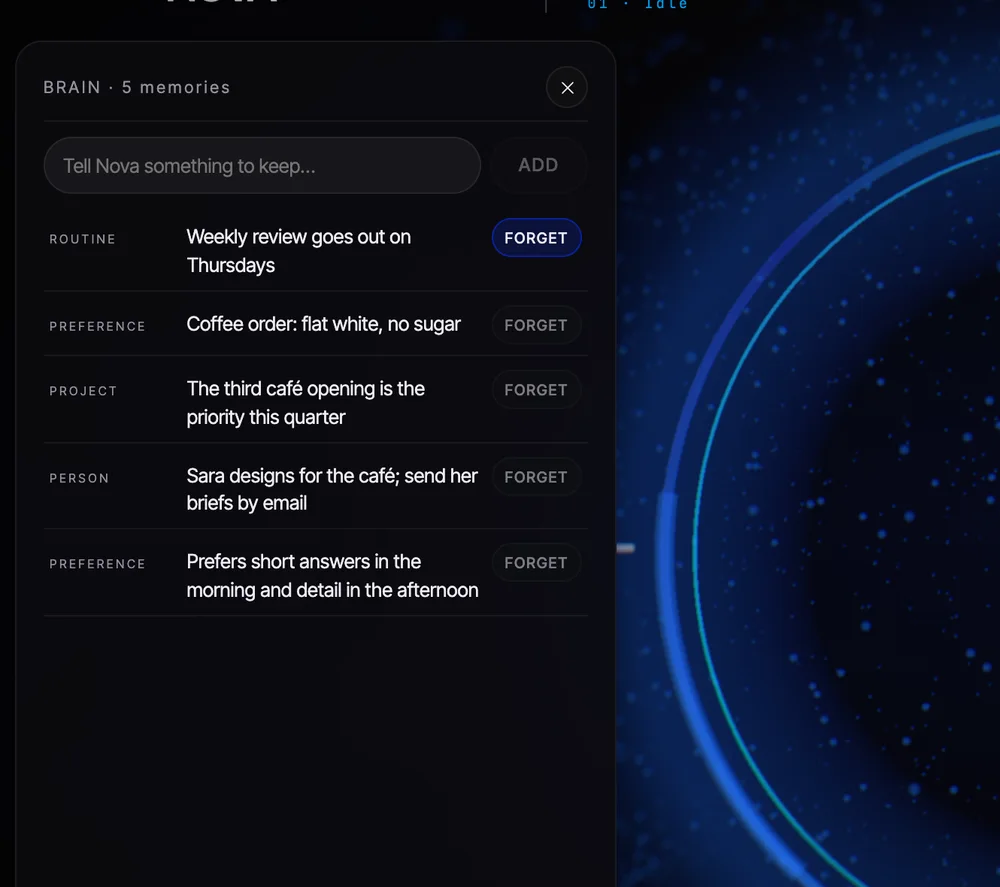
What you like, who your people are, how you build a deck, what you asked for last Tuesday. Her memory is a list of plain sentences you can read, edit or tell her to forget. It is stored on your Mac and nowhere else.
Nova has her own Gmail address and her own Chrome profile. She signs up for tools with “Continue with Google”, reads and replies to her mail, and researches in her own tabs. Your accounts stay yours; she asks before sending or posting from them.
She notices Zoom, Teams and Meet, takes the notes, and writes up the summary, decisions and action items.
A morning brief when you sit down, a gentle nudge when you drift, sprints you start with a word.
Anything on a schedule: the inbox at nine, the report on Fridays, the backup at midnight.
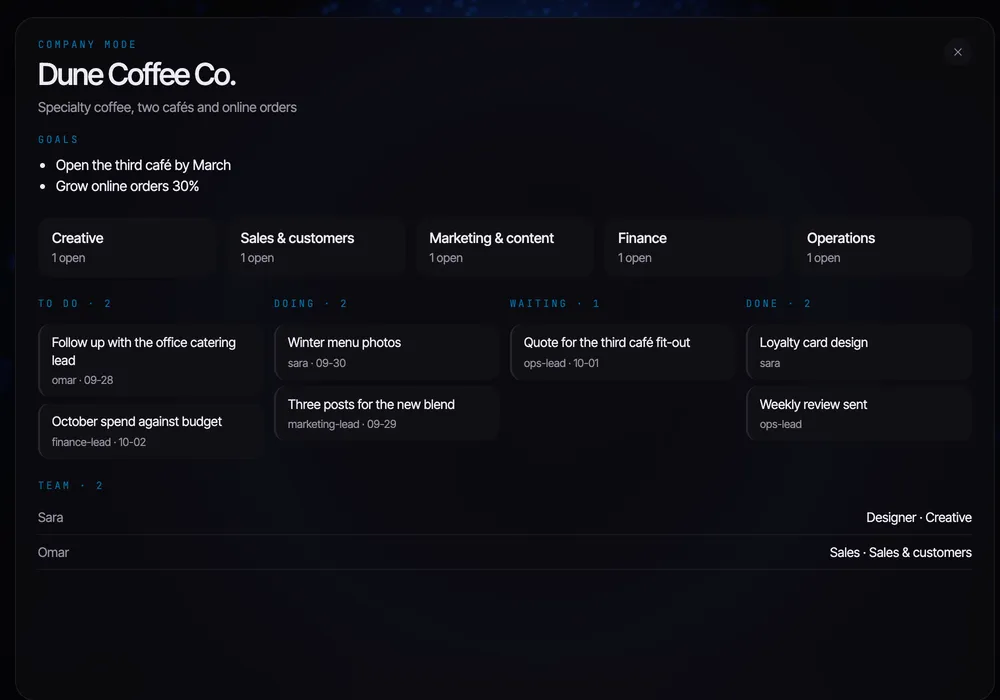
Heart, Company, Agents, Memory, Settings and Notes, each one key away.
She looks at you, thinks visibly and answers in a line or two. One key and she goes quiet.
Type instead of talk whenever you like. Same colleague, same answers.
Text her from anywhere; she does the job on the Mac and reports back in the chat.
Not translated menus: her hearing, her voice and her manners in both English and Arabic.
Everything else she simply does. Passwords, card numbers and codes are always typed by you, never by her.

The Mac installer opens soon. Leave your email and Nova Cloud will send one message on the day, nothing else.
Windows and phone are on the same list, on the download page.